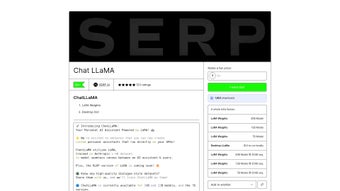

Download ChatLLaMA – Free GPU‑Powered AI Conversation Builder
Overview and Core Features
ChatLLaMA is a cutting‑edge, open‑source AI conversation modeling platform that lets developers, researchers, and hobbyists build private, high‑performance chat assistants that run directly on their own GPU hardware. Leveraging the LoRA (Low‑Rank Adaptation) technique and trained on Anthropic’s HH dataset, the tool delivers fluid, dialogue‑style interactions while keeping model sizes practical for consumer‑grade GPUs. Three model variants – 30 B, 13 B, and 7 B parameters – give you the flexibility to match performance with available VRAM, ensuring that even modest workstations can experiment with state‑of‑the‑art language models.
The desktop GUI abstracts away the complexity of command‑line workflows, providing a visual environment for model selection, dataset management, and real‑time chat testing. Because all processing occurs locally, you retain full ownership of your data, eliminate latency caused by round‑trip API calls, and avoid recurring cloud costs. Community‑driven features such as a dataset sharing portal and Discord‑based weight distribution further enrich the ecosystem, making ChatLLaMA an attractive choice for anyone seeking a secure, customizable conversational AI solution.
- Three scalable model sizes (30 B, 13 B, 7 B) for adaptable performance.
- LoRA‑based fine‑tuning enables lightweight adaptation on custom datasets.
- Intuitive desktop GUI compatible with Windows, macOS, and Linux.
- Native GPU acceleration via CUDA for sub‑second response times.
- Built‑in community dataset portal for collaborative model improvement.
- Open‑source Apache 2.0 license with optional Discord support for weight access.
- Seamless integration with PyTorch and Hugging Face Transformers.
- Secure local processing – no data leaves your machine unless you enable telemetry.
Installation, Configuration, and Daily Usage
Getting ChatLLaMA up and running is designed to be as frictionless as possible, even for users who are new to AI development. Begin by confirming that your system meets the minimum GPU requirements: an NVIDIA GPU with at least 8 GB of VRAM and CUDA 11.6 or newer. Visit the official GitHub releases page and download the installer that matches your operating system. The installer bundles the GUI, a minimal Python environment, and a runtime that automatically detects your GPU configuration.
Run the installer and follow the guided wizard: accept the license agreement, choose your preferred installation directory (the default is C:\Program Files\ChatLLaMA on Windows, /opt/ChatLLaMA on Linux, and /Applications/ChatLLaMA on macOS), and select the model variant you wish to start with. The download size varies dramatically – roughly 15 GB for the 7 B model and up to 60 GB for the 30 B model – so a stable broadband connection is recommended. Once the files are in place, launch the application via the newly created desktop shortcut.
The first launch presents a workspace wizard. Here you can either import a personal dialogue dataset (CSV or JSONL format) or browse the community repository for pre‑curated conversation snippets. After selecting a dataset, the “Model Selector” pane lets you pick the appropriate model size. Clicking “Load & Fine‑Tune” initiates LoRA adaptation, which runs in the background on your GPU. Fine‑tuning typically completes within minutes for the 7 B model and under an hour for the 30 B model, depending on dataset size and hardware.
Once fine‑tuning finishes, switch to the “Chat Console” pane. Here you can experiment with natural‑language prompts, adjust generation parameters such as temperature, top‑p, and max tokens, and view the AI’s responses in real time. The console also offers export options for conversation logs, enabling deeper analysis or integration with external tools.
If you need to tweak LoRA hyper‑parameters, the “Advanced Settings” tab provides granular control over rank, learning rate, and regularization. Throughout the workflow, ChatLLaMA delivers live status notifications, error logs, and a one‑click link to the Discord help channel. The built‑in updater checks for new releases daily, ensuring you always have the latest security patches and model improvements.
Compatibility, System Requirements, and Detailed Pros & Cons
Supported Platforms: Windows 10/11 (64‑bit), macOS 11+ (Intel and Apple Silicon via Rosetta 2), and major Linux distributions such as Ubuntu 20.04+, Fedora 33+, and Arch Linux. The application relies on CUDA for GPU acceleration, so any system equipped with an NVIDIA GPU supporting CUDA 11.6 or later will work out of the box. macOS users without NVIDIA hardware can still run the 7 B model in CPU‑emulation mode, but performance will be limited and is not recommended for production workloads.
Pros
- Local GPU execution delivers sub‑second latency and removes dependence on external APIs.
- Multiple model sizes allow scaling from modest laptops to high‑end workstations.
- LoRA fine‑tuning makes custom dataset integration lightweight and fast.
- Graphical user interface eliminates the need for complex command‑line commands.
- Open‑source Apache 2.0 licensing permits personal and commercial use.
- Secure, privacy‑first processing – data never leaves the local machine unless you enable optional telemetry.
- Active Discord community provides quick support, weight distribution, and dataset sharing.
- Automatic updater ensures you stay current with security patches and feature enhancements.
Cons
- Requires a modern NVIDIA GPU; CPU‑only usage is possible but impractically slow.
- Base model weights are not bundled with the installer and must be obtained via Discord registration.
- Large initial download sizes, especially for the 30 B variant, may strain limited bandwidth connections.
- Documentation, while improving, can be sparse for advanced LoRA hyper‑parameter tuning.
- Limited native support for Windows ARM devices and integrated graphics solutions.
Frequently Asked Questions
Do I need an internet connection after installing ChatLLaMA?
No. Once the model files and GUI are installed, all inference runs locally on your GPU. An internet connection is only required for the initial model download or when you choose to pull new community datasets.
Can ChatLLaMA run on a laptop without a dedicated GPU?
ChatLLaMA is optimized for NVIDIA GPUs. While the 7 B model can technically run on CPU‑only hardware, response times become prohibitively slow, making the experience unsuitable for interactive chat.
How do I obtain the base model weights?
Base weights are distributed through the official Discord server. After joining, submit a brief description of your project, and the community moderators will provide a secure download link.
Is any of my conversation data sent to external servers?
All processing is performed locally. ChatLLaMA does not transmit prompts or responses unless you explicitly enable telemetry in the settings panel.
What licensing terms apply to ChatLLaMA?
ChatLLaMA is released under the Apache 2.0 license, allowing free personal and commercial use. LoRA adapters you create are your intellectual property and can be distributed as you see fit.
Can I integrate ChatLLaMA with existing Python projects?
Yes. The installation includes a lightweight Python environment with PyTorch and Hugging Face Transformers. You can import the provided API module to call the model directly from your own scripts.
Conclusion – Download ChatLLaMA Today
ChatLLaMA combines local GPU performance, LoRA adaptability, and a user‑friendly GUI into a single package that stands out in the crowded AI‑assistant market. Its open‑source nature and active Discord community make it a reliable choice for developers who value privacy, speed, and extensibility.
If you’re ready to build a secure, high‑performance AI chatbot without the recurring costs of cloud APIs, ChatLLaMA is the solution you’ve been waiting for. Click the link below to download the free installer, follow the straightforward setup guide, and start creating your own conversational agents today.



.png)



